
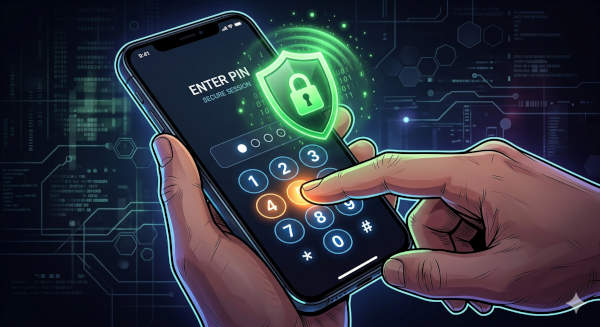
You are driving to a job in Spokane. U.S. Customs and Border Protection stops you at the border. They ask for your phone. They can legally make you press your fingerprint to unlock it. But they cannot make you give up your PIN.
Here is the trick that could save your ass — and destroy your data if it goes wrong.
What the Hell Is a Duress PIN?
It is a second PIN that looks and works like your real one. But when you enter it? Your phone wipes itself. Gone. Everything. No trace.
Your regular PIN unlocks your phone normal. The duress PIN shows the same unlock screen, acts normal — but behind the scenes it wipes everything. eSIMs too.
GrapheneOS calls it “duress” because it is for situations where you are being forced to unlock your phone against your will.
Why This Matters at the Border
Here is the deal on both sides of the 49th parallel:
Going into the USA (CBP):
U.S. Customs and Border Protection officers can ask you to unlock your phone with your fingerprint. They CANNOT legally compel you to give up your PIN or password. Your fingerprint? That is considered “physical evidence” like a key — you can be forced to provide it. Your PIN? That is “testimonial” — protected by the Fifth Amendment.
Coming back to Canada (CBSA):
Same rules apply with CBSA. Your biometric data can be compelled. Your PIN cannot.
So if you are crossing the border and they say “put your finger on the scanner,” you comply. But if they say “tell me your PIN,” you give them the duress PIN instead.
Boom. Phone wiped. Your data, your client files, everything — gone.
And they cannot prove you did it on purpose. It looks like a failed unlock.
Who Needs This?
Different types of people, different reasons.
Cross-border contractors
You drive to US job sites. You carry client lists, quote documents, maybe pricing info for competitors. CBP and CBSA can search your phone at the border. The duress PIN gives you an out if they start digging where they should not.
Tradespeople with client data
You take photos of job sites, store measurements, have contacts in your phone. Some of that stuff is sensitive. If your phone gets grabbed — by cops, by a shady client, by anyone — the duress PIN means they get a brick, not a data haul.
People who genuinely have something to hide
Activists, journalists, legal professionals, anyone dealing with sensitive information. The kind of person where “I have got nothing to hide” is not an answer you can give with a straight face.
Regular people who just want peace of mind
You do not need to be running from the law to want this. It is like having a fire extinguisher — you hope you never need it, but if you do, you are glad it is there.
How to Set It Up
Step-by-step. No tech jargon.
Step 1: Open Settings
Tap the Settings app. Scroll down until you see “Security.”
Step 2: Find Duress Password
Inside Security, look for “Duress PIN” or “Duress Password.” Tap it.
Step 3: Set Your Duress PIN
Pick something simple — you are not trying to remember it. You are trying to forget it. Something like 000000 or 12345 works. Yes, really.
Step 4: Confirm
Enter it again to confirm. That is it. You are done.
What happens next:
- Your regular PIN works like normal
- If someone forces you to unlock and you enter the duress PIN instead, the phone wipes after 3 failed attempts
- No warning, no confirmation — it just happens
- Works alongside fingerprint unlock too — does not interfere
What the Duress PIN Wipes
Here is what goes away when you enter the duress PIN:
- Everything on the phone
- All installed apps and their data
- All photos, contacts, messages, files
- The eSIM — completely wiped, not just disabled
- Encryption keys — unrecoverable
What it DOES NOT wipe:
- External SD card (if you have one and removed it before)
- Cloud accounts — but those need separate logins
The Honest Downside
This is not all upside. You need to know the risks.
If you forget your regular PIN too often and enter the duress PIN by mistake, you lose everything. Three failed attempts and it is gone. No undo.
Make sure your important stuff is backed up somewhere safe. If you wipe your phone, you want those photos of your kids birthday somewhere else.
The duress PIN is a last resort, not a daily driver. Do not practice entering it. Do not use it when you are just locked out of your phone — GrapheneOS has other recovery options for that.
The Bottom Line
You probably will not ever need your duress PIN. Most people never do. But if you are the kind of person who crosses borders with a phone full of client data, job site photos, and contacts — and you do not want that stuff in the wrong hands — this is fifteen minutes of setup for one hell of a safety net.
It is not paranoia. It is just good policy.
Stay sharp out there.